

by Inam Ullah Dar
Can surface area transform your WooCommerce store?
Imagine this: You’re selling paint, tiles, wallpaper—or maybe even custom glass sheets. Regular “per-item” pricing feels off. Customers don’t think “I need three units.” They think, “I need enough to cover this wall.” Simple.
But your WooCommerce store? It’s stuck with fixed prices by default. What if you could sell by square meters or feet effortlessly?
That’s where surface-area pricing plugins come in. They’re clever. And they’re about to change everything. Let’s dive in—through stories, facts, and tools that do it right.
How Jane Saved Her Store
Jane runs a small WooCommerce shop selling eco-friendly wallpaper. One day, a client messaged: “How much do I need for my living room?”
Jane tried to calculate—measurements, wastage, layers. Awful. She lost time. She lost sales. Then she found a plugin (that will come up soon).
Now, customers enter width and height. And her store magically calculates the price. No more back-and-forth. Just sales. Cool, right?
Why Surface Area Pricing Matters
Let’s keep it real. If you’re selling paint, flooring, or fabric, customers want to know how much. Not how many units. Let’s say a customer needs 12 m² of tiles. Do they order four boxes that cover 3 m² each? Or 5 to be safe?
Too much or too little. Both bad. Surface area pricing fixes that. It calculates exactly what’s needed. Reduces waste. Builds trust. Cuts complaints. Warms you up inside, because—finally—people get the right amount at checkout.
How It Works (and Why It Feels Like Magic)
Here’s how it typically goes:
- Customer enters measurement: width × height. Boom.
- The plugin calculates the area.
- It applies your pricing formula—maybe with a bit of wastage built in.
- Final price shows up instantly.
- Customer clicks “Add to Cart.” Done.
Just like that. No guesswork. You get fewer returns. They get peace of mind. Simple. Smooth. Powerful.
Must-Have Features
- Accurate calculator
You’d be surprised. If a plugin spits out weird outputs—like 3.4 liters when your cans only come in 5L sizes—you’ll have frustrated customers. Accuracy is the backbone. It needs to calculate consistently and smartly. Round quantities properly. Handle decimals. No awkward surprises. Because a bad calculator equals bad sales.
- Unit’s flexibility
Not every store sells in square meters. Some sell in feet. Others need cubic meters for things like gravel or mulch. Flexibility means you can switch units without breaking the system. A plugin that locks you into one unit? Big nope. Customers should enter numbers in the format they’re used to—otherwise, confusion and abandoned carts.
- Pricing rules
Here’s where the magic happens. A good plugin lets you set rules for wastage (extra 5–10% added automatically), tiered pricing (bulk discounts), and even custom rounding. Why? Because real life isn’t perfect. People always need a little more paint, a few extra tiles, a bit of safety margin. Smart rules mean happy buyers—and fewer back-and-forth emails asking “should I order more?”
- WooCommerce integration
This one’s non-negotiable. The plugin must “talk” to your WooCommerce setup. That means products, the cart, checkout, and stock management all stay in sync. No awkward mismatches like “your cart has 0 units.” If it doesn’t integrate deeply, you’ll end up with a pretty calculator that doesn’t actually sell. And that’s useless.
- Responsive & easy to place
Most customers shop on their phones. If your calculator looks broken on mobile, you’ve lost it. Responsive design is key. And placement should be simple too—drop it anywhere with a shortcode: product pages, landing pages, even blog posts. Flexibility here means you can test what works best for conversions.
- Admin control
Let’s be honest—store owners don’t want to code formulas every time. You need a settings panel that makes tweaking simple. Change units, adjust margins, update pricing tables—all without feeling like you’re writing an Excel formula from 2003. If the backend feels like rocket science, you’ll hate using it.
- User-friendly
Finally, the golden rule: your customers shouldn’t need a manual. They type their numbers. They get a price. They add to the cart. Done. That’s it. If they have to guess how the calculator works, or worse—leave your site to Google “what’s m² to ft²”—you’ve already lost them. Smooth, simple, human. That’s the key.
Real Tools That Do It Right
Here’s where the magic truly happens. I’m using a relaxed tone, but the plugins are seriously powerful.
- WooCommerce Paint Calculator
Sometimes, you need something more specific than a general measurement plugin. This tool? Built for paint sellers. Customers enter the surface area they want to cover.
Then they choose the substrate—like concrete, tiles, or wood. Next, they pick layers, select color (mandatory, with both free and paid options), and choose a finish. The plugin does the rest. It estimates the exact products needed and adds them all to the cart with one click.
For bulk paint, micro cement, primers, or coatings, it’s a lifesaver. Contractors love it. Homeowners too. Instead of guessing “do I need 3 liters or 5?” they type the wall size and trust the result. It’s simple, niche, and brilliant for anyone in the paint industry running WooCommerce.
- Measurement Price Calculator by SkyVerge
This is one of the most trusted measurement-based calculators out there. Let’s link it: Filter by area or volume with real formulas.
You can sell by dimensions, area, volume, or weight. Enter length, width, height—even build “room walls” calculators for wallpaper. Pricing tables, inventory by unit, dynamic weight for shipping—it handles everything.
A bit formal. But so, needed.
- WooCommerce Price Calculator (Measurement-Based)
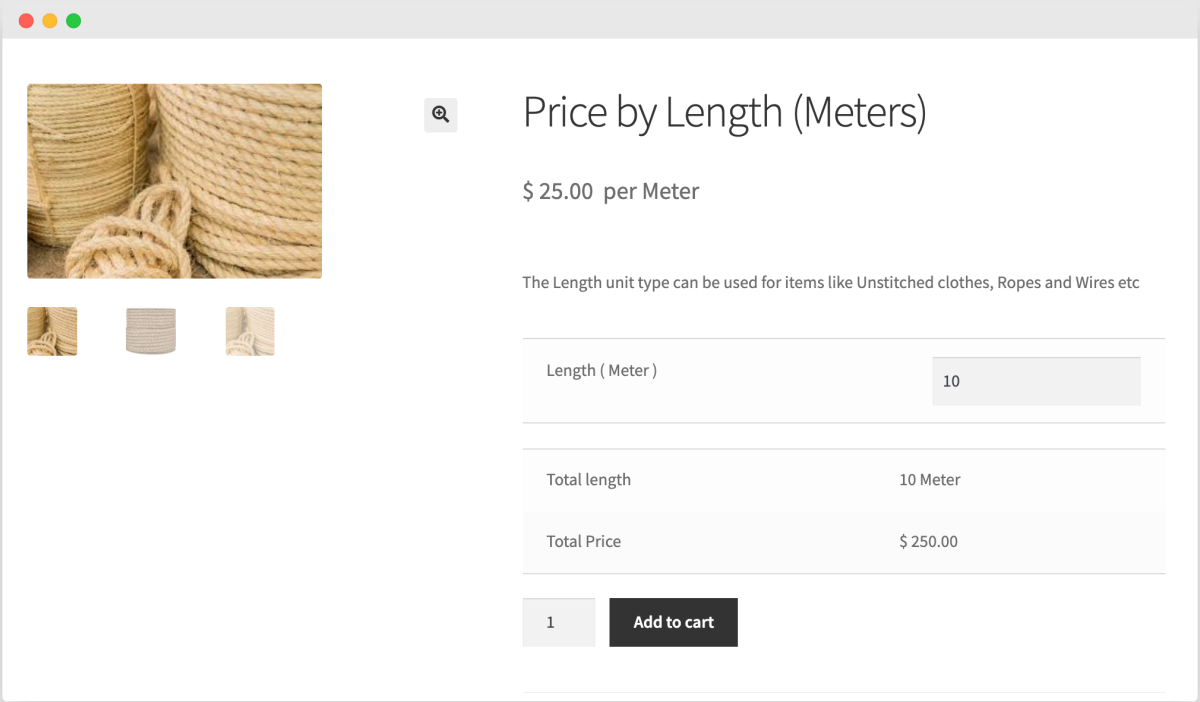
Another strong plugin. Let customers enter measurements and calculate instantly. Supports length, area, volume, weight, and boxes. Measurement units galore. Pricing tables. Minimum and maximums. Dynamic stock.
Simple, effective, no fuss.
- Cost Calculator Builder
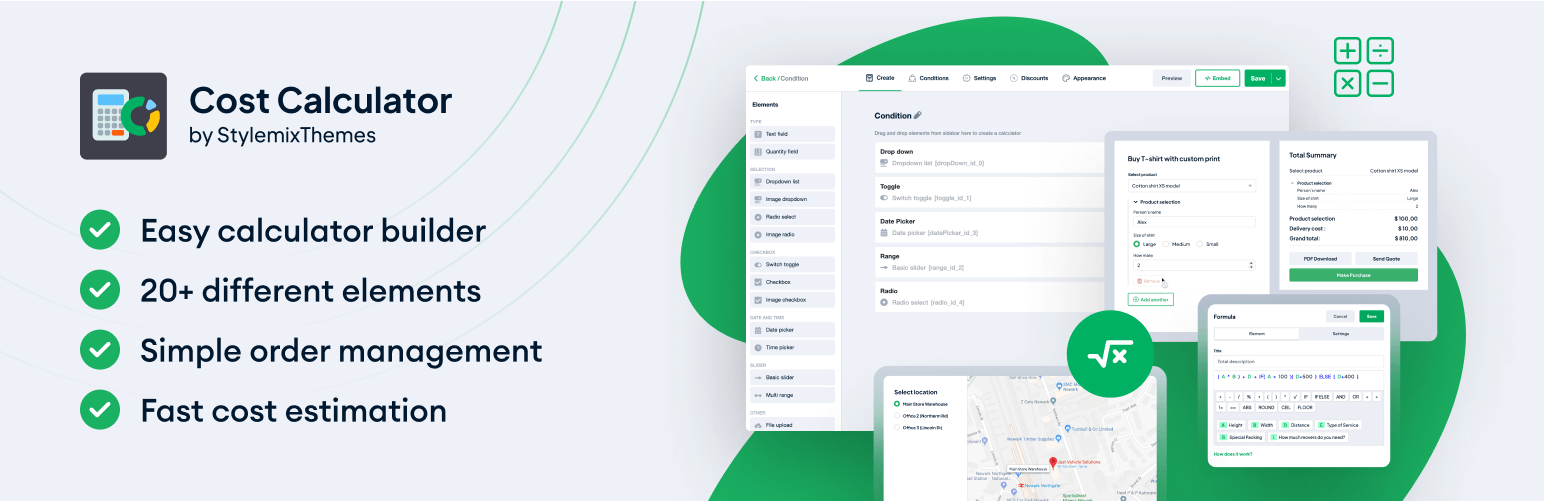
More flexible. Drag-and-drop calculator forms and WooCommerce integration. You build custom forms. Include fields like cost, dimensions, even file uploads and multi-steps. Great for complex estimations.
A bit of design is involved. But you get full control.
- Flexible Quantity – Measurement Price Calculator for WooCommerce
Free plugin. Great for simple needs. Enable unit-based pricing: area, volume, weight, dimensions. Set unit price, increment, min & max. PRO adds more: pricing tables, dynamic pricing, and custom units.
Nice for budget setups. Upgradable when you grow.
Weaving Story and Features Together
Fatima runs a bulk paint store. She added the WooCommerce Paint Calculator plugin. You know, the one that calculates based on substrate, layers, color, and finish—and adds all to cart with one click. It fit her niche perfectly.
Now customers tell how much wall they have. It asks what kind of surface. It asks to finish. The plugin sums up all materials. Orders are accurate. Joy all around.
That’s the power of niche tools. But the general calculators I listed above? They do fantastic for tiles, fabrics, blinds, mulch—anything based on measurements.
Choosing the Right Plugin for Your Story
- For standard measurement-based products: Go with Measurement Price Calculator or WooCommerce Price Calculator. Trusted, full-featured.
- If you need custom forms, extra logic, or multi-step flows, try Cost Calculator Builder.
- On a tight budget: Start with Flexible Quantity (free). Upgrade later.
Match your niche. Test in staging. Break stuff. Fix stuff. Then, go live. Customers will notice. And appreciate it.
What About the Future?
You know what’s next? Imagine scanning your room with your phone, plugin calculates the paint needed. Or AR lets customers see how many tiles they need in real-time.
AI suggests the best quantity with less wastage. Smart calculators are doing dynamic pricing based on inventory and demand. The tech’s coming.
Soon, these calculators will feel basic. But still essential. It’s early days for smart ecommerce. But surface area pricing is a step toward genius.
Conclusion
You started with a problem: customers think in measurements, and your site only offered fixed units. That gap created friction. Now, tools close that gap. They bring accuracy, clarity, and smoother sales. Plugins like Measurement Price Calculator, WooCommerce Price Calculator, Cost Calculator Builder, and Flexible Quantity each serve different needs—and they link to where you can grab them. No fluff. Just solutions.
Quick recap:
- Need coverage by area, volume, or weight? Use the Measurement or Price Calculator plugin.
- Need creative forms and logic? Cost Calculator Builder.
- Want a free starting point? Flexible Quantity.
Surface area pricing isn’t optional anymore. It’s how smart stores win. And now, you know how to do it right. Simple. Powerful. Ready.
 | Inam Ullah Dar is a content writer by passion and profession. He started his journey with Motif Creatives. He primarily writes for guest post articles falling under various niches. The main area of his interest and expertise is Web design & Digital marketing. He enjoys reading and writing about healthcare, mindfulness, and well-being to educate people about being happier and lively. His work has been published on many high-authority websites. He believes that writing is an effective way to communicate at better levels. |








 Guest Posting

