AI Agents: Where We Really Are, and Where We’re Going
If you’ve been paying attention, 2025 is being hyped as the “Year of AI Agents.” Everywhere you look, there’s buzz around autonomous agents that think, plan, and execute. Not just chat with you—but actually do things.
But are we there yet?
Well… kind of.
Let’s cut through the hype and look at what’s real, what’s emerging, and what’s still stuck in the “someday” bucket.
First, What Is an AI Agent?
An AI agent isn’t just a chatbot. It’s a system that:
Takes a goal
Breaks it into subtasks
Chooses the right tools
Executes those tasks—autonomously
This goes way beyond answering questions or holding a conversation. A true agent can act on your behalf—book appointments, extract data, fill out reports, manage workflows, and even launch products. That’s the vision.
The Role of Chatbot Agents Right Now
Right now, most “agents” are still glorified chatbots.
They’re being used in a few solid, but limited ways:
Customer support: Handling FAQs, processing returns, checking order status
Sales funnels: Qualifying leads, answering objections, booking calls
Internal productivity: AI copilots in tools like Slack, Notion, and Microsoft Teams
They’re helpful. They save time. But they’re not replacing full-time employees or executing high-stakes tasks on their own.
Why? Because they’re still operating in walled gardens. They can talk, but they can’t act beyond a narrow set of triggers.
What About n8n and Gumloop?
Let’s zoom out and talk about two tools that get closer to the agent vision—without jumping all the way to full autonomy.
n8n
n8n is a powerful, visual workflow builder. It lets you chain together apps, APIs, and logic—think of it as a developer-friendly version of Zapier.
You can create automated flows like:
“When a new email comes in, summarize it with GPT, and post it to Slack.”
“Scrape product data daily, store in a database, and notify the team.”
What it doesn’t do is dynamically reason through a goal and decide what to do next. That’s the key difference between a workflow and an autonomous agent.
Gumloop
Gumloop is one of the new kids on the block offering agent-like experiences in a no-code package. It focuses on chaining AI actions together—like having a conversation that leads to a task being completed.
It blurs the line between chatbot and agent, letting you build logic-driven conversations that result in actions: sending emails, updating CRM entries, creating docs.
It’s smart, conversational, and getting closer to a true assistant. But again, it’s not yet “fully autonomous.” It still relies on scripts and predefined paths.
Now Let’s Talk Real Agents: Multion, Cognosys, and AutoGPT + Puppeteer
Here’s a side-by-side comparison of the most promising agent platforms that actually do stuff beyond chatting.
Multion
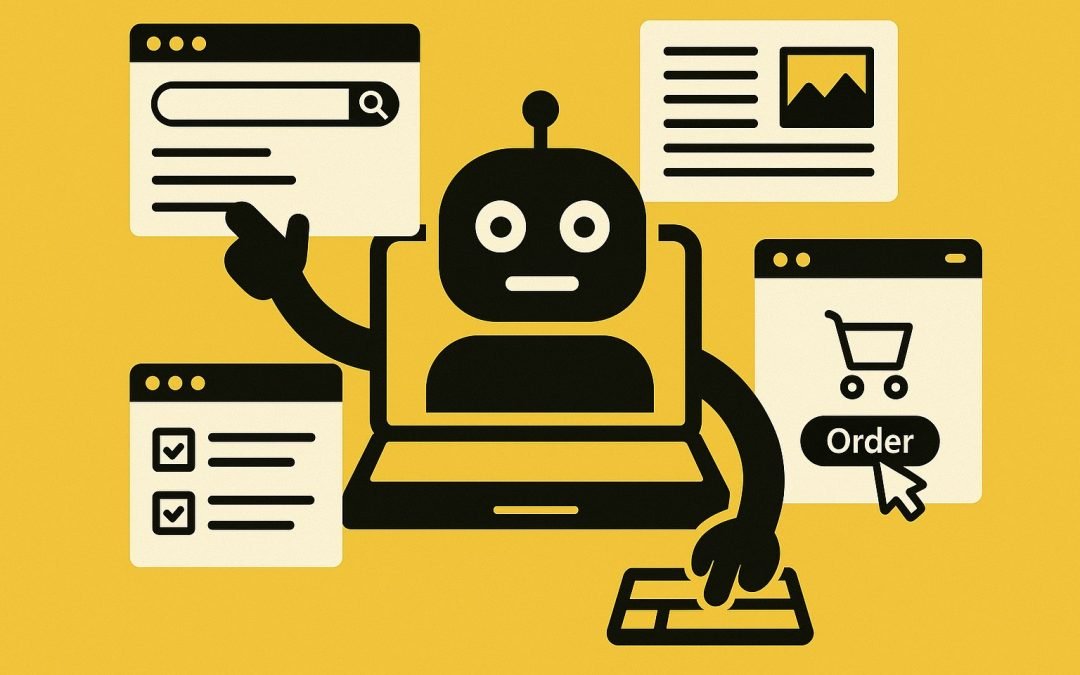
Multion is a browser-native AI agent that can operate like a human. It opens websites, clicks buttons, fills out forms, and navigates multi-step processes—just like a virtual assistant sitting at your computer. You tell it what to do (“Book me a hotel in Miami for next weekend”), and it figures out the steps and does it in real time.
It’s not just suggesting what you should do. It’s doing it.
Use Cases:
Shopping
Booking
Filling out online forms
Submitting basic reports
Cognosys
Cognosys is closer to a workflow orchestrator with AI brains. It lets you create agents that interact with documents, websites, APIs, and external tools. It gives you more structure and stability than something like AutoGPT, but still feels flexible.
You can build workflows like:
“Read this PDF, extract key points, summarize them, and send them to my CRM.”
“Log into a portal, file a weekly report, and archive the confirmation email.”
Use Cases:
Smart document processing
Automated report generation
Multi-step business flows
AutoGPT + Puppeteer
Now we’re talking raw power. This is your DIY stack for building true general-purpose AI agents. AutoGPT breaks down goals into subtasks, and Puppeteer controls a browser to actually execute those tasks—clicks, keyboard, navigation, uploads, downloads—whatever you need.
This combo is best for builders who want control and flexibility. You can:
Scrape data
Fill out and submit forms
Publish content
Create, edit, and upload documents
Run fully custom automations
Use Cases:
Create a weekly podcast from scraped news
Publish a book to Amazon KDP
List products in your ecommerce store with AI-generated descriptions and designs
What About the Big Players?
Let’s not ignore the giants in the room. OpenAI, Anthropic, and Microsoft are all in this race too—but with different strategies.
OpenAI’s Agents
Right now, we have Custom GPTs and GPTs with tools (like the code interpreter, browser, and image tools). These aren’t agents yet—but OpenAI is moving toward agents that can:
Use APIs
Perform multi-step reasoning
Access your calendar, files, and apps
Expect deeper automation capabilities and a tighter loop between goal-setting and task execution. Their focus is on safe, general-purpose AI agents that operate behind the scenes via API or embedded tools—not agents that “take over your screen.”
Anthropic’s Agents (Claude)
Claude isn’t about control—it’s about context. With massive memory windows and a focus on alignment, Claude excels at:
Long-form reasoning
Document summarization
Keeping track of large conversations
Anthropic’s model is more of a thought partner than a task executor—for now. But that could change as Claude gets tool use and external action capabilities.
Microsoft’s Agents (Copilot + RPA)
This is where enterprise-grade agent automation is already happening. Microsoft is combining:
Copilot: Embedded AI in Word, Excel, Outlook, and Teams
Power Automate + Desktop RPA: Visual scripting for bots that use your computer like a human
Azure AI Studio: Build and host enterprise agents using private data
Microsoft’s ecosystem is quietly becoming the most complete suite of AI agents—especially for large businesses running on Windows and Office 365.
So Where Are We in 2025?
We’re not at AGI. We’re not even at fully autonomous multi-purpose agents for the average business owner.
But we are at the tipping point.
We now have:
Tools that can simulate humans in browsers (Multion, AutoGPT + Puppeteer)
No-code platforms that can chain AI actions (Cognosys, Gumloop)
Scriptable environments that allow you to build your own custom agents (AutoGen, OpenDevin, LangChain)
Big tech players like OpenAI, Anthropic, and Microsoft building the AI infrastructure to support real-world agents
The pieces are on the table. The difference is that now, you can build real task-based AI workers—even if they’re still a bit clunky.
What’s missing is seamless orchestration, better memory, stronger error handling, and agents that don’t require babysitting.
Real World Testing – What I’ve Discovered
What Actually Happened When I Tried Them
Multion
They’re positioning themselves as a browser-native agent that can act like a human—click buttons, navigate websites, complete real tasks.
Only problem? Their Chrome extension seems to have vanished. As of this writing, it’s unavailable. Can’t test what doesn’t exist. Further, what is available expects you to integrate with Python code and their API – this is definitely not a “no-code” solution.
Cognosys
I was optimistic—Cognosys had some impressive demos. But when I went to sign up, I got a message saying they’re transitioning to something called Ottogrid. I tried to build something anyways with the existing product – what i wanted was to have it fill out a form, register for an event, and add this to my google calendar – of course all of this is “coming soon.”
AutoGPT
I signed up. Got on the waitlist. No access yet. And even if I did, this has always been more of a developer tool than something you could show off in a live demo to clients.
Gumloop
This one was available and active, so I tried one of their predefined agents that ends by creating a Google Doc. Seemed straightforward.
Except… I couldn’t view the doc. No access, no way to customize permissions, and no clear error message telling me what went wrong.
Let’s just say, “intuitive” is not the word I’d use to describe the experience.
So Where Are We Really?
The technology is exciting. The demos are slick. The potential is massive.
But here’s the truth:
Most tools are either still in development, in beta, or in waitlist mode
The few that are available often require a developer’s mindset to use effectively
“No-code” doesn’t always mean no confusion
Many AI agents still can’t deliver a full, seamless task from start to finish without human intervention
We’re not seeing digital workers—we’re seeing very clever interns who still need constant supervision.
Why This Still Matters
Even with all the frustration, the potential is too big to ignore.
I’ve seen what’s almost possible:
Agents that summarize documents and draft follow-ups
Browser bots that nearly fill out forms for you
GPTs that can generate product listings or pitch decks with the right prompting
But “almost” isn’t enough when you’re trying to build something reliable for your business or your clients.
Final Thoughts
I still believe AI agents will change the way we work. I still believe in the vision. But right now, we’re in the awkward adolescence phase of the tech.
If you’ve been hearing about AI agents and wondering why they’re not living up to the hype yet, it’s not just you.
They’re coming. But for now? Keep your expectations in check—and maybe keep your human assistant on speed dial.
Looking Ahead: The Future of AI Agents
The next wave of AI agents will:
Understand context across sessions
Adapt to new interfaces automatically
Negotiate between tools to reach a goal
Handle uncertainty and ask clarifying questions
Operate 24/7 without constant oversight
They won’t just live in your browser—they’ll live inside your OS, your business systems, and your workflows. And when that happens, we’re not talking about saving time—we’re talking about reshaping the workforce.
In a few years, you won’t be hiring a VA to manage your inbox. You’ll deploy a virtual agent that does it better, faster, and doesn’t take a vacation.









 Guest Posting

